
Features
Built for How You Actually Work
Every feature is designed around real boat transport workflows — from the first customer call to the final delivery photo.
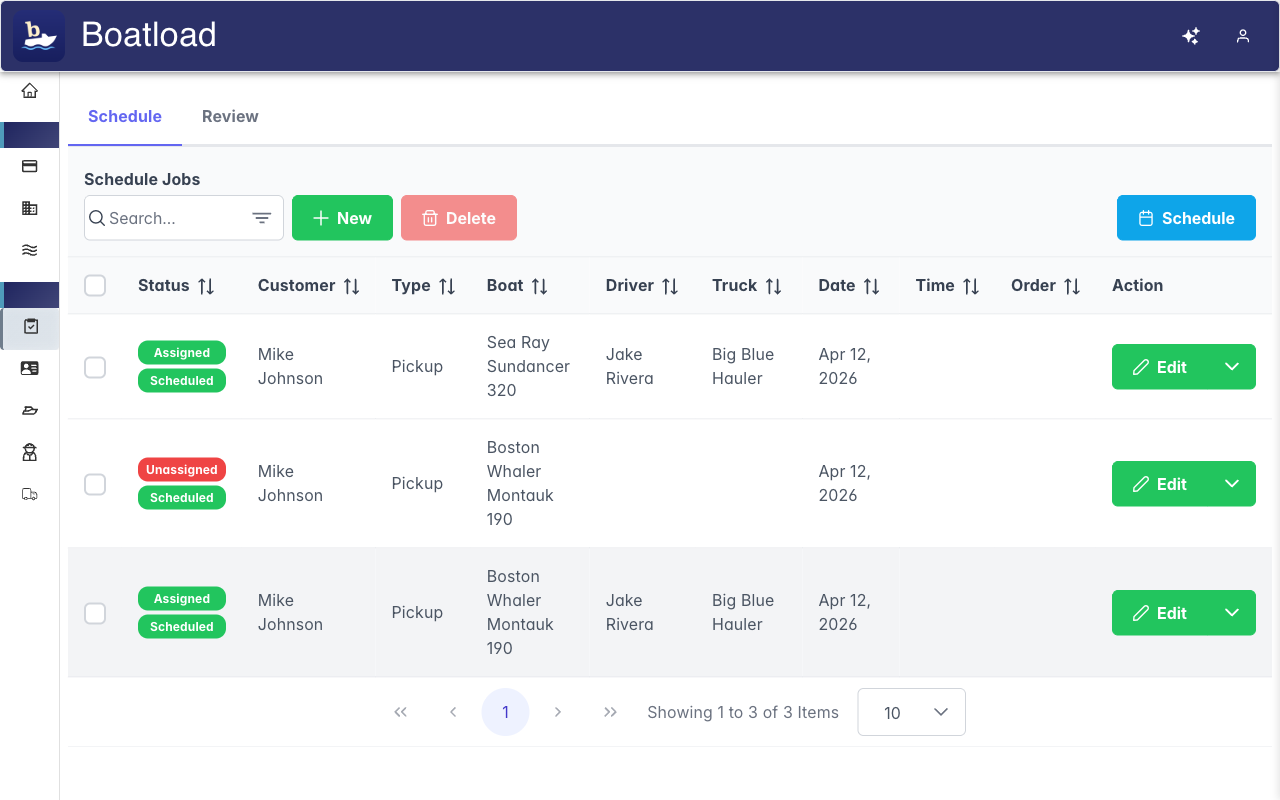
Every Job, Handled in One Place
Book, assign, and track every haul from one place — no whiteboard, no group text, no wondering what's next.
- Book and assign jobs to the right truck and driver
- Run multi-boat trailers without losing track of a hull
- Post open jobs and let drivers claim them
- Order the day per truck so routes actually make sense
- Reschedule in a couple of clicks when plans change
Every Driver Knows Exactly What to Do
Hand a driver a job and the app takes it from there — the next stop, the checks that matter, and the photos to grab. No missed steps, no phone calls back to the office.
- The next stop and the next step, always clear
- Turn-by-turn to pickup, launch, and delivery
- The right photos captured at the right moments
- Inspections done the same way every time
- Works in the yard and on the road, from a phone
Catch Problems Before They Cost You
The issues that matter don't get buried. Boatload surfaces anything concerning from a job and puts it in front of the right person — so a small problem never becomes an expensive one.
- The problems worth your attention rise to the top — no digging
- Serious issues reach the right person right away
- Every job leaves a clear, trustworthy record
- Peace of mind that nothing slipped by
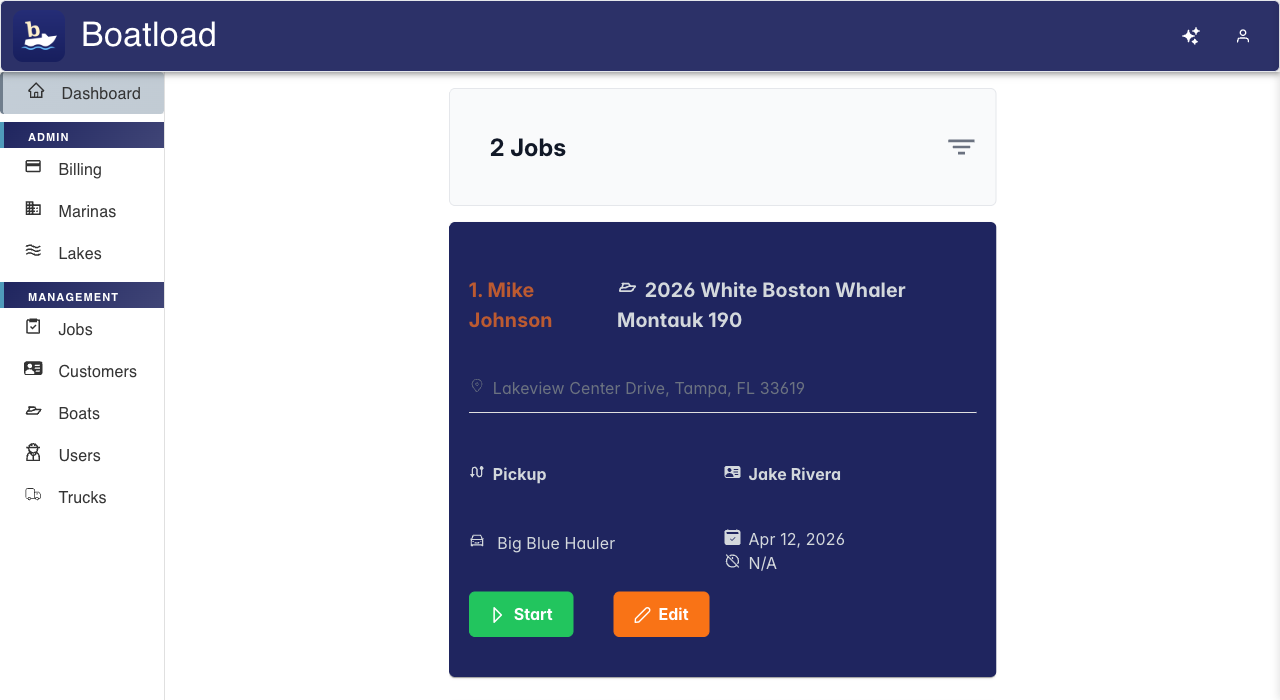
Your Whole Day at a Glance
Open Boatload and see the day laid out by route — what's booked, who's on it, and what's done. From the office or the yard, everyone's working off the same picture.
- The day's jobs, in the order they should run
- Start or hand off a job in a tap
- Drivers grab open jobs without waiting to be assigned
- A calm "all caught up" when the work is done
Spend Your Time on Jobs, Not Data Entry
Boatload takes the repetitive data-entry off your plate — imported data is cleaned up for you, and you can set things up by describing them instead of filling out forms.
- Messy spreadsheets normalized for you on import
- Set things up by describing them, not form-filling
- Less clicking, less training, less time at a desk
Everything About Your Business, in One Place
Customers, boats, trucks, and crew — all in one place, so you're never hunting through spreadsheets or old texts for a phone number or a hull ID.
- Customers, boats, trucks, and crew, all together
- A full history on every boat you move
- Roles so everyone sees exactly what they need
- Run multiple locations from one account
- Import from a spreadsheet in any format — normalized for you as it comes in
Built Around You
Make Boatload Fit Your Operation
As you grow, shape Boatload around how you actually work — your jobs, your fleet, your brand.
Custom Job Types
Go beyond Pickup and Dropoff — build job types with the exact steps and inspection questions your operation runs, so every job is captured the way you actually do it.
Custom Boat Types
Define the boat types you actually haul, each with its own checks and trailer capacity, so the workflow fits your fleet instead of the other way around.
Custom Branding
Put your logo and brand color across the app — including the job reviews you share with customers, so everything carries your identity, not ours.
See It All in Action
Start your free trial and explore every feature with 25 jobs on us.