
Onboarding
A Set of Features That Makes Setup Easy
Import the data you already have, take a guided tour, or set up by chatting — get your team up and running in an afternoon.
Bring Your Data — In Any Format
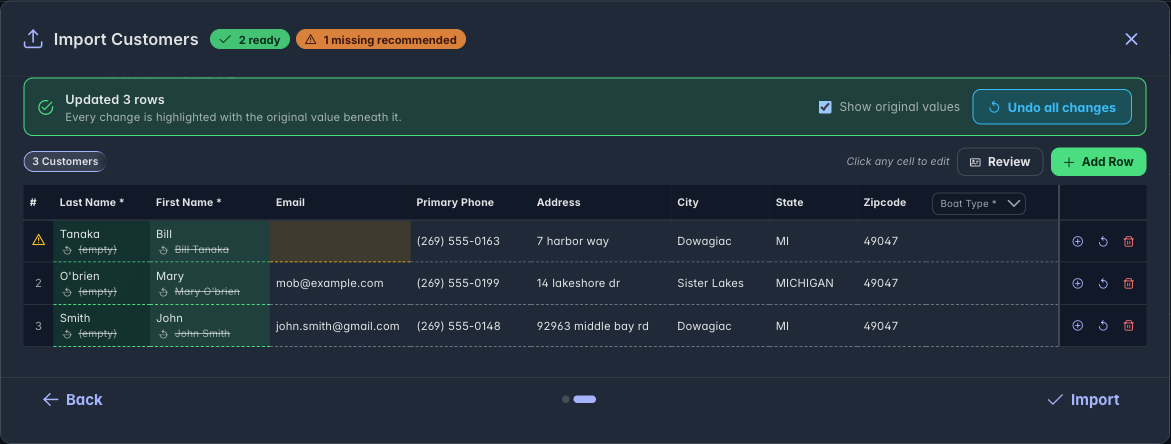
Import the spreadsheets you already keep. Boatload normalizes your customers, trucks, and boats into the format it needs — fixing names, formatting, and typos — so you skip hours of manual cleanup.
Normalizes any format
Odd casing, a full name crammed in one column, inconsistent phone formats? Boatload lines it all up to match what it needs — you don't reformat a thing.
You review before it saves
See every change and the final table before committing. Nothing is imported until you say go.
Fix and retry in place
If a row still needs attention, sort it out and retry just that one — no re-importing everything.
Follow the Tooltips, Skip the Guesswork
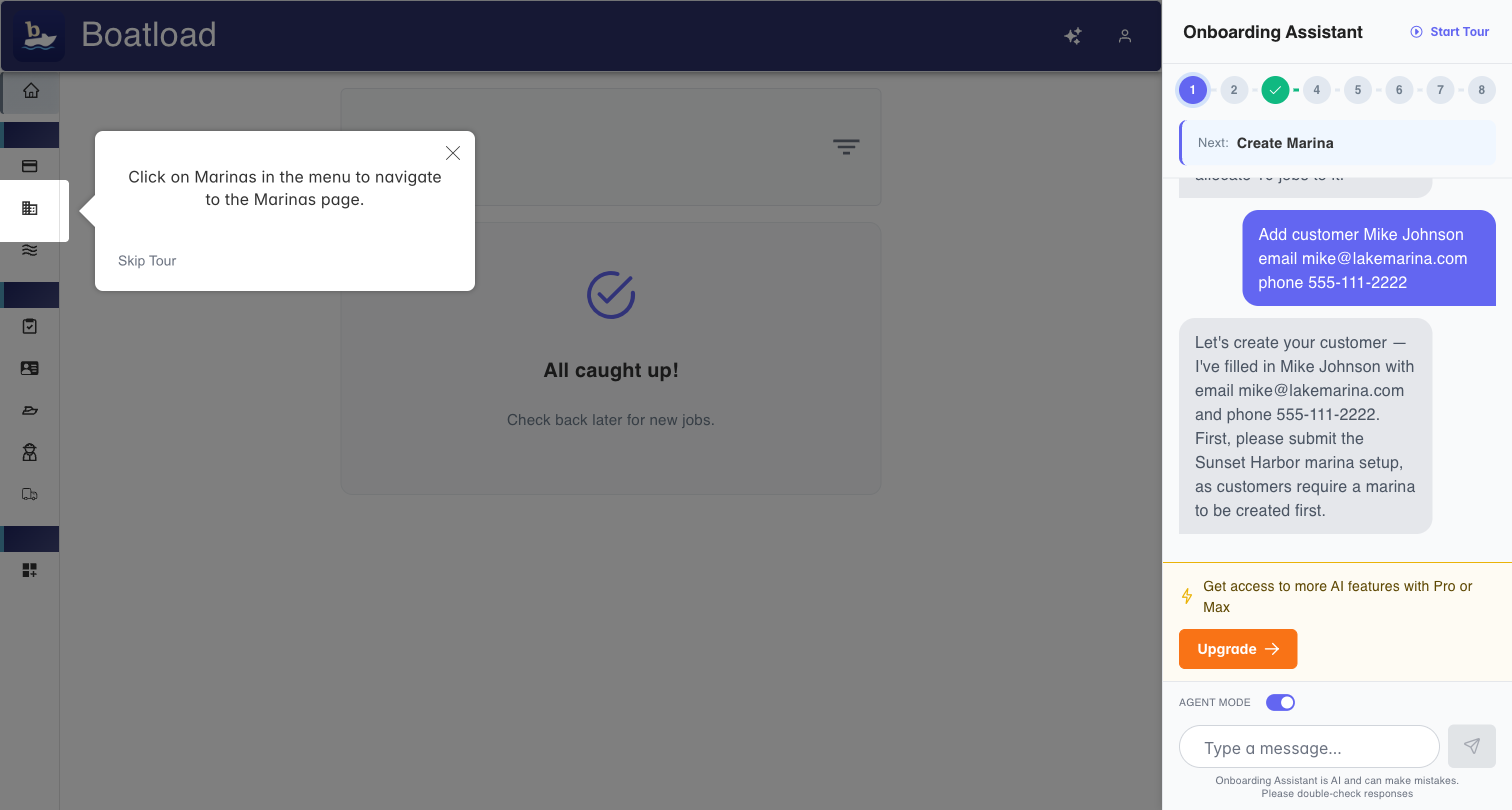
After your first signup, an interactive tour appears automatically. Step-by-step tooltips guide you through creating everything you need to start operating.
Or Just Describe It
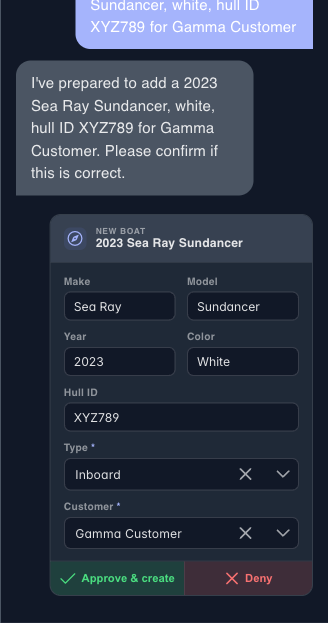
If you'd rather not fill out forms, describe your setup in plain language and the assistant drafts the entries for you to confirm. Totally optional — the import and tour are right there too.
Describe it, don't fill it out
Say "add a 2023 Sea Ray Sundancer for that customer" and it drafts the entry for you to review.
You stay in control
Nothing is saved until you approve it.
Ready to Get Started?
Sign up in under a minute, bring your data over, and start running jobs this week.